
Windows 10 Tutorial: Change Folder Picture

Windows, by default, shows a perfectly fine thumbnail preview of the contents of a folder on its icon. But it also allows you to change the picture for the icon of any given folder. With the choice of an image file in any of the following formats: JPG, JPEG, GIF, PNG, TIF, TIFF, BMP, ICO, … Read more

Windows 10 Tutorial: Open Administrative Tools

Administrative Tools is a special folder in Control Panel that contains a number of useful tools for system administrators, though they do certainly come in handy for advanced users too. The tools in the folder vary depending on the version of Windows you are using, and Windows 10 offers a whole bunch of such handy … Read more

Windows 10 Tutorial: Restart Computer

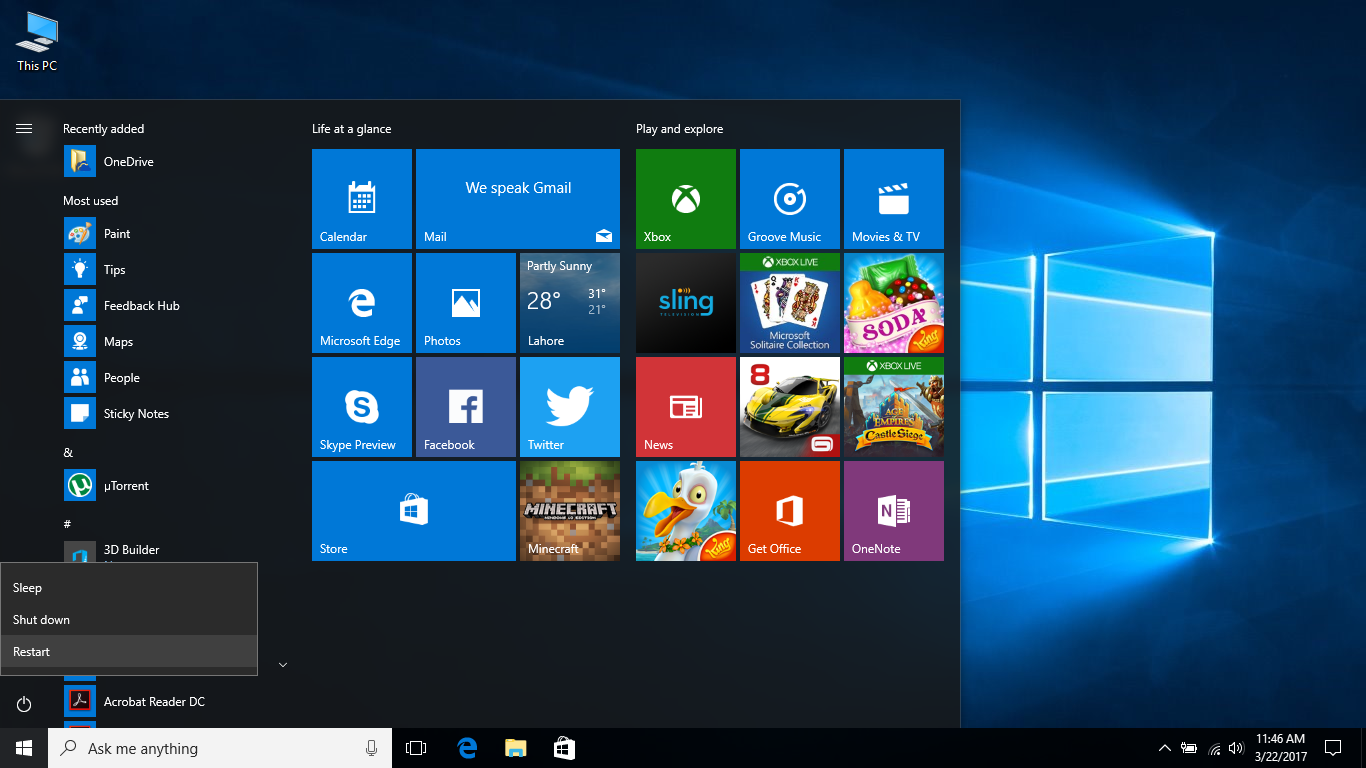
Ah, restart. Previously one of the most useful commands in Windows, and something that still comes in handy in this day and age. Windows 10 comes with myriad different ways to restart a computer. Restarting, of course, closes all apps, signs out all users, and reboots Windows on your PC. And even though the operating … Read more

Windows 10 Tutorial: Enable Or Disable Disk Write Caching

Disk write caching is a Windows feature that can improve system performance by using RAM to collect write commands sent to data storage devices, and cache them to be written to later. The use of fast memory for this task allows applications to run quicker, as they software does not have to wait for data-write … Read more

Windows 10 Tutorial: Single-Click Or Double-Click To Open Items

Single-tap or double-tap, too. Although majority of Windows users have settled with the double-click way of opening programs and files, Microsoft still also provides a way to get this done via a single-click. And now with the focus on touch-based inputs, the single click or tap option makes sense for many. Changing things around is … Read more

Windows 10 Tutorial: Find The Health Of Your Battery

Believe it or not, Windows 10 comes with a very capable battery report tool that is strangely hidden away. It can tell you everything you need to know about the battery in your laptop or portable device. Including statistics like battery life estimate and its capacity over time. Sure, there are some third-party software programs … Read more

Windows 10 Tutorial: Pin Searches To The Start Menu

Pinning is one of the neatest new abilities in Windows 10, with Microsoft now allowing users the ability to pin practically everything in the Start Menu of its latest operating system. Along with a host of other things and elements, you can also pin searches. As in to say, the saved File Explorer searches. This … Read more

Windows 10 Tutorial: Block Ads In File Explorer

Microsoft is taking ads in Windows 10 one step further with the inclusion of promotional material in File Explorer. More specifically, OneDrive ads are showing for some users. You can see how they look in the image above. Mostly users rocking the upcoming Creators Update builds are the ones that are seeing these new type … Read more

Windows 10 Tutorial: Open Internet Explorer

Microsoft Edge may have taken the spotlight from IE as the default web browser in Windows 10, but it is still possible to use Internet Explorer in the operating system. Even if the process is not straightforward. And that is because only Edge is pinned to the taskbar in the OS, while IE is practically … Read more

Windows 10 Tutorial: Uninstall Programs

Uninstalling unwanted programs is one of the most commonly used tasks in Windows 10, definitely one of the more important ones. And this is something that almost all users have to perform, one way or another. The old-school Control Panel provides a very capable interface to uninstall desktop programs, though it will not delete the … Read more